
WordPressカスタム投稿タイプの開発記録|WAFによる保存失敗の調査とFTPフォールバックの実装
この記事は、FUKABORI COLORSの実際の開発記録をもとに、ChatGPTを活用して構成・執筆しています。
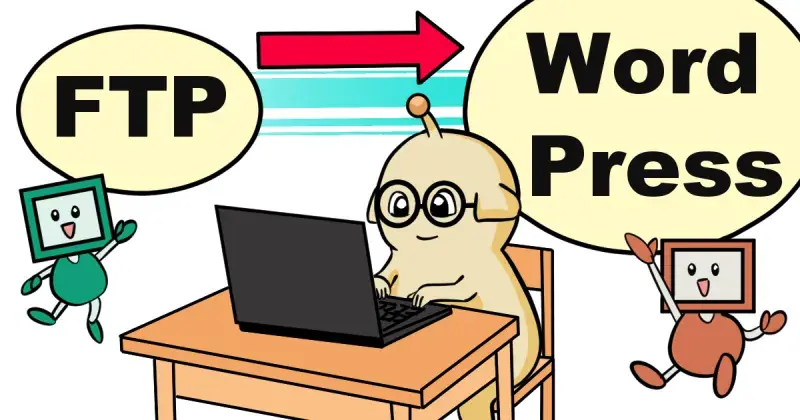
この記事では、FUKABORI COLORSの開発記録「Devlog」を、FTPで管理する静的なHTMLからWordPressのカスタム投稿タイプへ移行した際の試行錯誤を紹介します。
開発期間は2026年9月28日から10月8日までです。WordPressとCocoonの共存、日英表示の切り替え、マンスリーサマリー(月間報告の箇条書き情報)の保存、関連コンテンツの表示など、実装中に発生した問題と対応を記録しました。
特に、英語本文やマンスリーサマリーが管理画面から正常に保存できない問題については、原因の調査と複数の保存方法を試したうえで、最終的にFTPを利用したフォールバックを実装しました。
- WordPressのカスタム投稿タイプとCocoonを共存させる
- 管理画面で発生した保存失敗を調査する
- REST APIとFTPフォールバックを組み合わせる
- 日英表示、関連コンテンツ、背景表示などを改善する
1. 開発の概要
FUKABORI COLORSでは、これまでFTPで管理していたDevlogを、WordPress上で更新・管理できるようにすることにしました。
主な開発環境と対象は次のとおりです。
- CMS:WordPress
- テーマ:Cocoon(子テーマを使用)
- サーバー:ロリポップ!
- カスタム投稿タイプ:
fc_devlog - 専用プラグイン:
fukabori-devlog.php
単に過去の記事を移すだけでなく、月別の開発記録、日英の本文切り替え、マンスリーサマリー、関連記事へのリンクなどを管理できる仕組みを目指しました。
2. カスタム投稿タイプとCocoonの共存
最初に取り組んだのは、Devlog専用のカスタム投稿タイプと表示テンプレートの整備です。
月別の記事一覧、個別記事、関連記事、表示色などを実装しながら、Cocoon側の表示機能との干渉も確認しました。
開発途中では、記事のアイキャッチ画像を表示しない設定が意図どおり反映されない、英語本文が表示されない、目次が不要な場所に表示されるといった問題も発生しました。
これらは一つの原因で起きていたわけではありません。投稿データの保存、テンプレートでの出力、テーマ側の表示処理を分けて確認し、個別に調整しました。
3. 英語本文が保存されない問題
開発中、管理画面から英語本文を保存しても、保存後のデータに反映されない問題が発生しました。
まず、入力内容が表示時に除去されている可能性を考え、HTMLの許可設定を調整しました。しかし、これだけでは解決しませんでした。
その後、ページのソースやテンプレート側の保存データを確認し、英語本文が表示段階で消えているのではなく、保存処理の段階で受け取れていないケースがあることを確認しました。
さらに、管理画面から送信されるデータを比較しました。短いテスト文字列では関連データが送られている一方、長い英語本文では本文のデータが見つからず、関連する項目やnonceも欠けているケースがありました。
一方、サーバーのPHP設定を確認したところ、当時の主な値は次のとおりでした。
post_max_size:100Mmax_input_vars:1000memory_limit:300M
これらの値だけから、今回の保存失敗がPHPの上限に達したことによるものとは判断できませんでした。
また、サーバーのWAFログを確認したところ、保存に失敗した時間帯に、投稿編集画面のリクエストに関連する検知記録が見つかりました。ログには sqlinj-9 などの検知ラベルが記録されていました。
このことから、WAFによるリクエストの検知が保存失敗に関係していた可能性が考えられました。ただし、どの文字列やデータが具体的な引き金になったのかまでは特定できていません。
WAFをサイト全体で無効にする方法は採用せず、保存方法そのものを見直す方針にしました。
4. 日英表示の切り替えとテーマ側の干渉
本文の保存問題と並行して、日本語と英語を切り替えて表示する仕組みも整えました。
本文は日本語版と英語版をそれぞれ用意し、既存のサイト共通の言語切り替え機能と連携させる構成にしました。
また、日本語のルビ表示を含む記事では、Cocoonの目次生成処理によって表示が意図どおりにならない問題がありました。Devlogの出力に対する目次関連の処理を見直し、不要な干渉を避けました。
そのほか、管理画面での表示設定や下書きの見え方など、記事を更新する際の使い勝手も調整しました。
5. 保存方法の見直しとFTPフォールバック
保存問題への対応として、最初にWordPressのREST APIを利用する方法を実装しました。
専用のメタデータを登録し、管理画面からマンスリーサマリーなどを扱えるようにしました。月別の設定や表示色など、一部のデータについてはこの方式で管理できることを確認しました。
しかし、マンスリーサマリーの保存については、管理画面からの操作だけでは安定して解決できませんでした。本文内のHTMLコメントを利用する代替案も試しましたが、こちらも正常に保存できず、採用を見送りました。
そこで、通常の保存方法を優先しつつ、必要なデータをFTPで管理できるフォールバックを追加しました。
最終的には、WordPress側のデータを優先し、取得できない場合にFTP上のテキストファイルを参照する構成にしました。どちらにもデータがない場合は、空の状態として扱います。
FTP側のファイルには、月ごとのマンスリーサマリーを日本語版と英語版に分けて保存します。たとえば、2026年7月分のファイルでは、次のような区分を使用します。
[summary_ja]:日本語のマンスリーサマリー[summary_en]:英語のマンスリーサマリー
この方式で2026年7月分のデータをテストし、FTPから読み込めることを確認しました。
また、管理画面で、マンスリーサマリーの取得元がWordPress側のデータなのか、FTP側のファイルなのか、それともデータがない状態なのかを判別できるようにしました。
この仕組みによって、管理画面からの保存がうまくいかない場合でも、FTP経由で月別データを管理できるようになりました。
6. 関連コンテンツの改善
記事の内容を整えるだけでなく、Devlogからほかのコンテンツへ移動しやすくするため、関連記事の表示も改善しました。
関連記事のサムネイルは、アイキャッチ画像、SNS用画像の順に確認し、利用できる画像がなければ画像なしで表示する仕組みにしました。
管理画面では、関連コンテンツの表示を事前に確認できるプレビューも追加しました。外部サイトへのリンクにも対応し、URLの形式を検証して危険なスキームを受け付けないようにしています。
さらに、Devlogをサイト内の更新情報や漫画関連の表示機能にも含めるため、既存の表示処理を調整しました。
7. 背景表示と細かな使い勝手の調整
Devlogの記事背景は、画面いっぱいに画像を拡大する方式から、背景画像を繰り返し表示する方式に変更しました。これにより、記事の長さや画面サイズによって背景の見え方が大きく変わるのを避け、表示を整えました。
このほかにも、記事タイトルやアイキャッチ画像の表示設定、管理画面の一覧順、ルビを含む表示名の扱いなどを調整しました。
関連コンテンツのプレビューやリンクの検証も含め、記事を公開・更新する側と、実際に読む側の両方から使いやすくなるよう改善を重ねました。
8. 開発を通して分かったこと
今回の開発では、画面上で入力できることと、入力したデータがサーバーに届き、保存され、正しく表示されることは別々に確認する必要がありました。
保存失敗についても、PHP設定、送信データ、WordPressの保存処理、テーマ側の表示処理、WAFログを順番に確認することで、問題が起きている段階を絞り込むことができました。ただし、WAFの具体的な検知原因は特定できておらず、最終的には保存経路を複数用意することで対応しました。
また、WordPress側の機能だけですべてを完結させるのではなく、FTPで管理するデータを補助的に利用する構成も、今回のサイトでは有効でした。
こうして、Devlogを単なる静的ページの集合から、月ごとの開発記録を管理し、関連コンテンツへつなげられる仕組みへと移行しました。
9. 公開URLの移行
開発機能の整備後、Devlogの公開URLもWordPress側の構成に合わせて移行しました。
旧URLから新しい月別記事へアクセスできるよう、対象となる過去記事に301リダイレクトを設定しました。また、新しいDevlogトップページと月別記事について、Google Search Consoleからインデックス登録をリクエストしました。
URLを変更するだけでなく、過去のリンクからも新しい記事にたどり着けるようにすることを意識しました。
おわりに
2026年9月28日から10月8日までの開発では、WordPressへの移行、日英表示、保存失敗の調査、FTPフォールバック、関連記事の改善など、複数の課題に取り組みました。
特に、原因を一つに断定できない保存トラブルに対して、ログと送信データを確認しながら代替手段を組み合わせたことは、今回の大きなポイントです。
Devlogは、FUKABORI COLORSがどのように作られ、変化していくのかを記録する場所です。今後もサイトの更新や新しい仕組みの開発に合わせて、記録を積み重ねていきます。
WordPress Custom Post Type Development Log: Investigating WAF-Related Save Failures and Implementing an FTP Fallback
This article was structured and written with the help of ChatGPT, based on actual FUKABORI COLORS development records.
This article documents the migration of FUKABORI COLORS' Devlog from static HTML files managed via FTP to a WordPress custom post type.
The development took place from September 28 to October 8, 2026. It involved integrating with WordPress and Cocoon, switching between Japanese and English, saving monthly summaries, and improving related-content links.
One of the main challenges was that English body content and monthly summaries could not always be saved through the WordPress admin interface. After investigating the issue and testing several approaches, an FTP-based fallback was implemented.
- Integrating a custom post type with WordPress and Cocoon
- Investigating failed saves in the admin interface
- Combining the REST API with an FTP fallback
- Improving language switching, related content, and background display
- 1. Project Overview
- 2. Integrating the Custom Post Type with Cocoon
- 3. Investigating the English Content Save Failure
- 4. Language Switching and Theme Interference
- 5. Revising the Save Method and Adding an FTP Fallback
- 6. Improving Related Content
- 7. Background Display and Usability Refinements
- 8. What the Development Process Revealed
- 9. Moving the Public URLs
- Conclusion
1. Project Overview
FUKABORI COLORS previously maintained its Devlog as static files managed via FTP. The goal was to move the system into WordPress so that development records could be managed and updated more easily.
The main environment and components were:
- CMS: WordPress
- Theme: Cocoon with a child theme
- Hosting: Lolipop!
- Custom post type:
fc_devlog - Dedicated plugin:
fukabori-devlog.php
The aim was not simply to import old articles. The new system needed to support monthly development records, Japanese and English content, monthly summaries, and links to related content.
2. Integrating the Custom Post Type with Cocoon
The first stage was to build the dedicated custom post type and its display templates.
Monthly archives, individual articles, related content, and visual styling were developed while checking for conflicts with Cocoon's existing features.
Several issues appeared during development. Featured images sometimes appeared despite being set to hidden, English content was missing, and the table of contents appeared where it was not wanted.
These issues did not all share the same cause. The saved post data, template output, and theme-level display processing had to be checked and adjusted separately.
3. Investigating the English Content Save Failure
During development, English body content sometimes failed to appear in the saved data even after the post had been saved from the admin interface.
The first step was to check whether HTML sanitization was removing the content during output. Adjusting the allowed HTML settings did not resolve the issue.
Next, the page source and template-level data were inspected. This revealed cases where the English content was not being received during the save process, rather than merely being removed when the page was displayed.
The submitted data was then compared between test cases. With a short test string, the relevant fields were present. With longer English content, however, the body field was missing, and related fields—including the nonce—were also absent in some requests.
The PHP settings on the server were also checked. The main values at the time were:
post_max_size: 100Mmax_input_vars: 1000memory_limit: 300M
These values alone did not establish that the failure was caused by a PHP limit being exceeded.
The WAF logs were also reviewed. Records related to post-editing requests appeared around the times when saving failed, including detection labels such as sqlinj-9.
This suggested that WAF request inspection might have been related to the problem. However, the specific string or data that triggered the detection could not be identified conclusively.
Rather than disabling the WAF for the entire site, the approach to saving the data was reconsidered.
4. Language Switching and Theme Interference
Alongside the save issue, the Japanese-English display system was refined.
The article body was prepared in both languages and connected to the site's existing language-switching feature.
Another issue affected Japanese text containing ruby annotations. Cocoon's table-of-contents processing interfered with the intended output. The relevant processing for Devlog content was adjusted to avoid this unwanted behavior.
Other improvements included display settings in the admin interface and the way draft content was handled.
5. Revising the Save Method and Adding an FTP Fallback
The first alternative was to use the WordPress REST API.
Custom metadata was registered so that settings such as monthly summaries could be managed through the admin interface. This approach worked for some data, including monthly settings and display colors.
However, saving monthly summaries through the admin interface remained unreliable. An alternative using HTML comments in the body was also tested, but it failed as well and was abandoned.
The final approach was to retain the normal WordPress save method as the primary route and add an FTP-managed fallback for the required data.
The system prioritizes data stored by WordPress. If that data is unavailable, it reads the corresponding FTP-managed text file. If neither source contains data, the summary is treated as empty.
Each monthly file stores the Japanese and English monthly summaries in separate sections. For example, the July 2026 file uses the following section names:
[summary_ja]: Japanese monthly summary[summary_en]: English monthly summary
A test confirmed that the July 2026 data could be loaded from FTP.
The admin interface was also updated to indicate whether the summary came from WordPress metadata, an FTP file, or no available data.
This made it possible to manage monthly summaries through FTP when saving them through the admin interface did not work reliably.
6. Improving Related Content
Related-content displays were improved to make it easier for readers to move from Devlog articles to other parts of the site.
For thumbnails, the system checks the featured image first, then the social-sharing image. If neither is available, the link is displayed without a thumbnail.
A preview was added to the admin interface so that related content could be checked before publication. External links were also supported, with URL validation to reject unsafe schemes.
Existing display components were adjusted so that Devlog content could also appear in the site's update and manga-related listings.
7. Background Display and Usability Refinements
The article background was changed from an image stretched to cover the entire area to a repeating background pattern. This helped keep the appearance more consistent across different article lengths and screen sizes.
Further refinements covered article-title and featured-image settings, admin-list ordering, and display names containing ruby annotations.
From related-content previews to URL validation, the improvements focused on making the system easier to use both for editors and for readers.
8. What the Development Process Revealed
One important lesson from this project was that being able to enter content in a form is not the same as successfully sending, saving, and displaying that content. Each stage needed to be checked separately.
By examining PHP settings, submitted data, WordPress save processing, theme output, and WAF logs in sequence, it became possible to narrow down where the problem was occurring. The exact WAF trigger remained unidentified, so the final solution was to provide an alternative data path.
For this site, using FTP-managed data as a fallback also proved useful rather than relying exclusively on WordPress-managed data.
As a result, Devlog evolved from a collection of static pages into a system for managing monthly development records and connecting them with related content across the site.
9. Moving the Public URLs
After the new system was in place, the public Devlog URLs were migrated to match the WordPress structure.
301 redirects were configured for the relevant older article URLs so that visitors could reach the new monthly pages. Indexing requests were also submitted through Google Search Console for the new Devlog landing page and monthly articles.
The goal was not only to change the URLs, but also to preserve access to the new articles from existing links.
Conclusion
From September 28 to October 8, 2026, the project covered the WordPress migration, bilingual display, investigation of save failures, an FTP fallback, and improvements to related content.
A key part of the work was responding to a save failure whose exact cause could not be conclusively identified. By checking logs and submitted data, then combining alternative methods, a practical workaround was implemented.
Devlog records how FUKABORI COLORS is built and how it changes over time. Development records will continue to grow alongside future site updates and new features.
コメント